
Run your security company. Not your spreadsheets.
Manage guard postings, sites, employees, rosters, timesheets, payroll preparation and client reporting in one platform built for South African security companies.
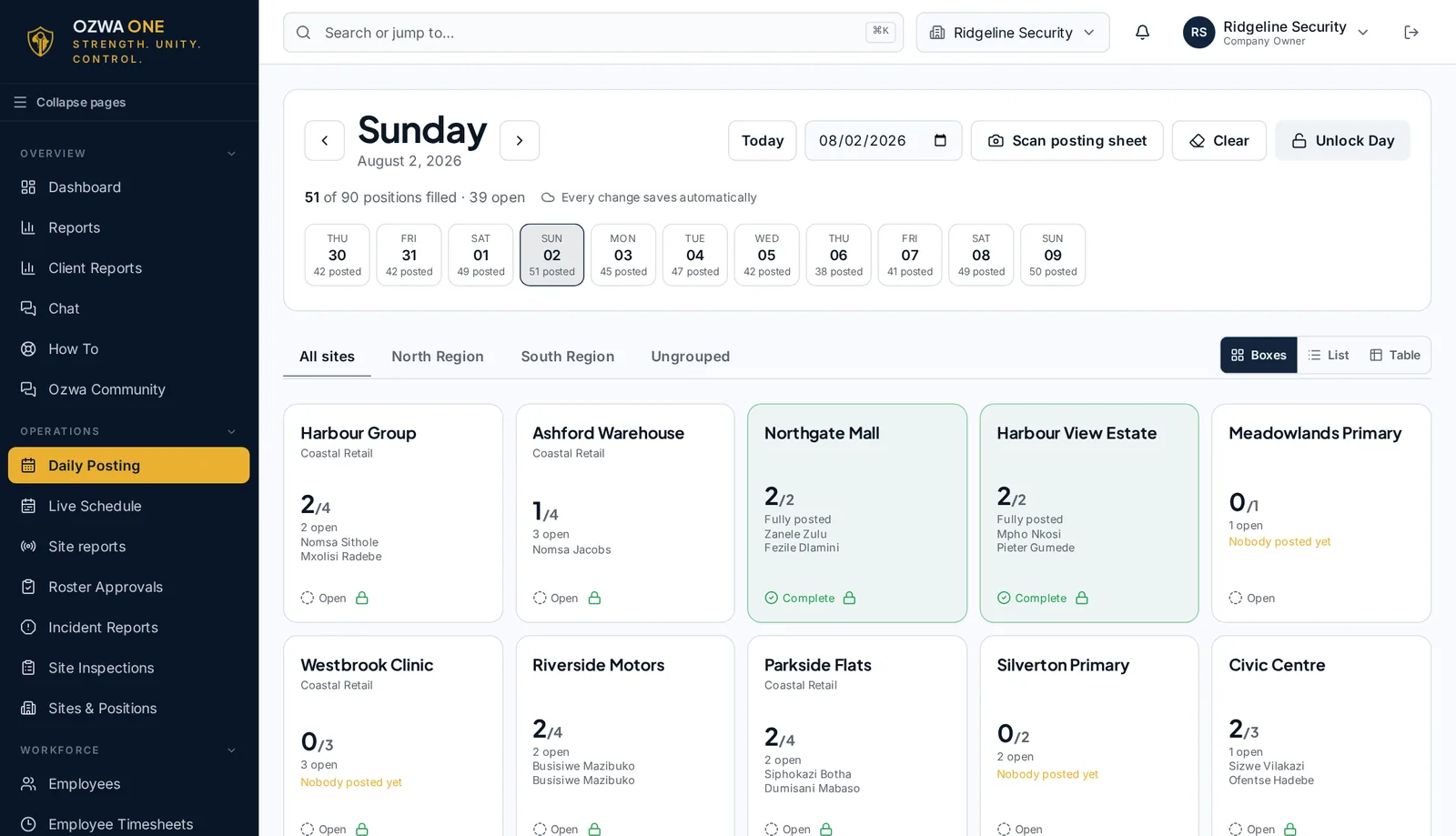
- Scan a paper posting sheet
- Guards sign in from a link, no app
- Payroll only from approved timesheets
Problems it solves
The everyday headaches of running guards
If these sound familiar, OZWA ONE was built for you.
Guard postings run through WhatsApp and spreadsheets
Post guards to site positions on one screen, or scan a handwritten posting sheet and confirm the names. Double bookings, approved leave and expired documents are flagged before a shift is saved.
Hours spent checking timesheets
Rosters and postings become timesheets, so you review and approve hours instead of retyping them. Guards can sign in and out of shifts from the Guard Portal on their phone.
Chasing supervisors for information
Sign-ins, patrol answers, incidents and site inspections are logged against the site and shift, so the office can see what happened without phoning around.
Employee records and documents all over the place
Keep each employee's details, registration, grade, contracts and documents together, and see which documents are about to expire.
Preparing payroll information by hand
Payroll uses approved hours only, applies deductions and fines, and produces payslips and a bank file.
Client reports that take too long
Download weekly or monthly site reports as PDFs, and invoice clients from the shifts posted on each site.
What it covers
Everything a guarding company runs on, in one place
Security guard management software for companies that put officers on client sites every day — from a few sites run by the owner to operations with supervisors, payroll staff and branches.
Daily posting & rosters
Security guard rostering software that builds site rosters and posts guards to positions each day. Double bookings, approved leave and expired documents are flagged before a shift is saved.
Live schedule & Guard Portal
Security guard scheduling software that shows every day and night shift on one schedule. Guards sign in on their phone with their employee number to sign in and out of shifts, see their approved hours, request leave and report site issues — no app to install.
Timesheets & payroll
Security guard timesheet and payroll software: timesheets are approved before anyone is paid. Payroll uses approved hours only, applies deductions and fines, and produces payslips and a bank file.
Employee records
Security employee management in one place: keep each employee's details, registration, grade, contracts and documents together, and see which documents are about to expire.
Incidents & inspections
Log incidents and site inspections against the right site and shift, with photos attached, in one searchable history.
Invoicing & reports
Invoice clients from the shifts posted on each site, and download weekly or monthly site reports as PDFs.
Plans are priced by company size. Compare Starter, Professional and Enterprise.
How it works
One connected system, from site to invoice
Each step uses the records from the step before, so nothing is retyped between spreadsheets.
- 1SitesClients, sites and positions
- 2Daily PostingGuards posted each day
- 3RostersPlanned shifts per site
- 4TimesheetsHours checked and approved
- 5Payroll PreparationFrom approved hours only
- 6Invoicing and ReportsInvoices and site PDFs
- 1
Set up your sites and team
Add your sites, positions, clients and guards, then invite office staff with access to only the pages their role needs.
- 2
Post and run each day
Post guards from the roster or a scanned paper posting sheet, then follow sign-ins, patrols and incidents as the shift runs.
- 3
Approve, pay and report
Approve timesheets, run payroll from approved hours, invoice your clients and send them their site reports.
See it in action
Real screens, not mock-ups
Screens from a working guarding company. Names of guards, sites and clients have been changed.
Two-minute walkthrough
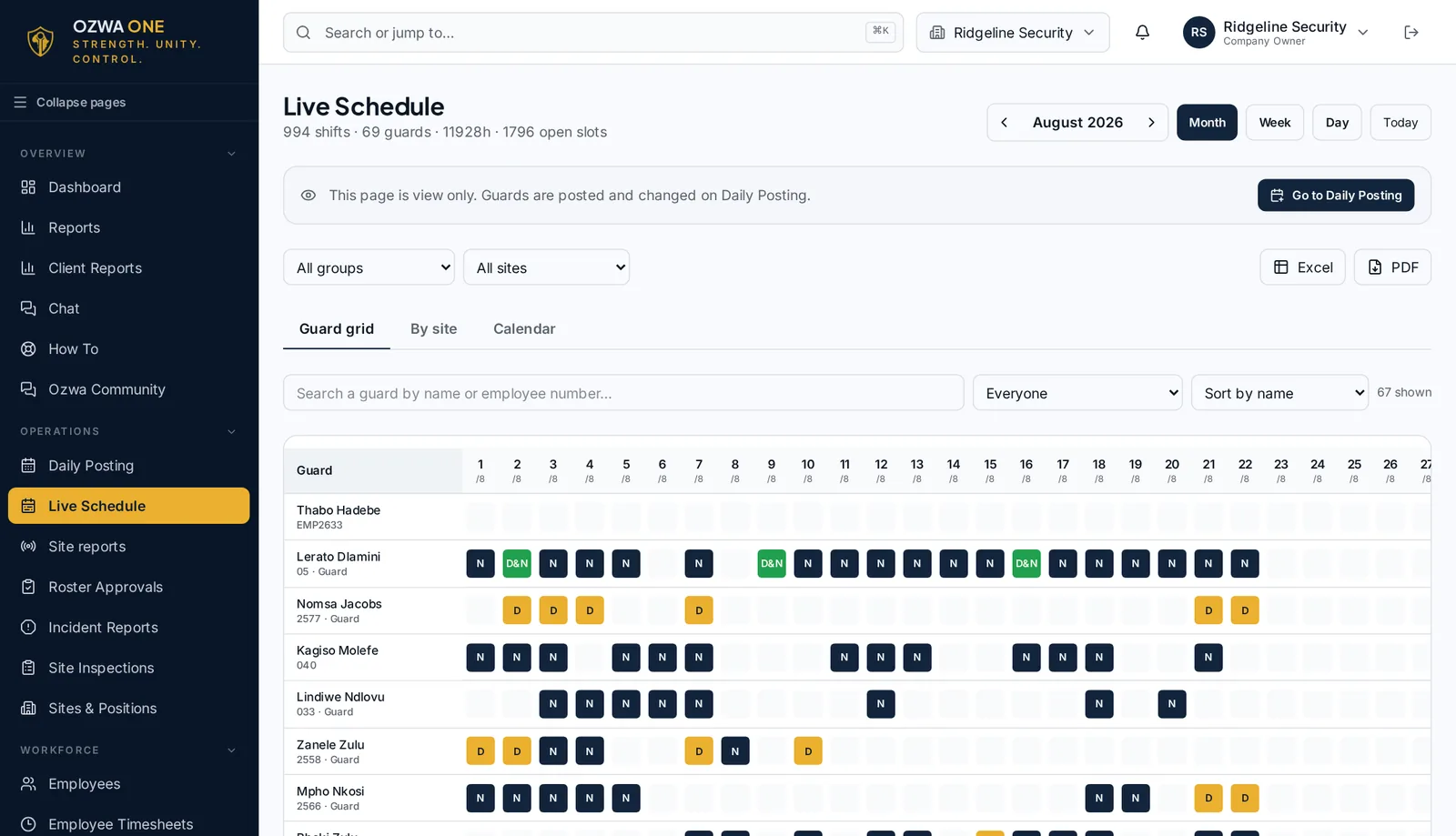
Live Schedule
A month of day and night shifts for every guard on one screen, straight from Daily Posting.
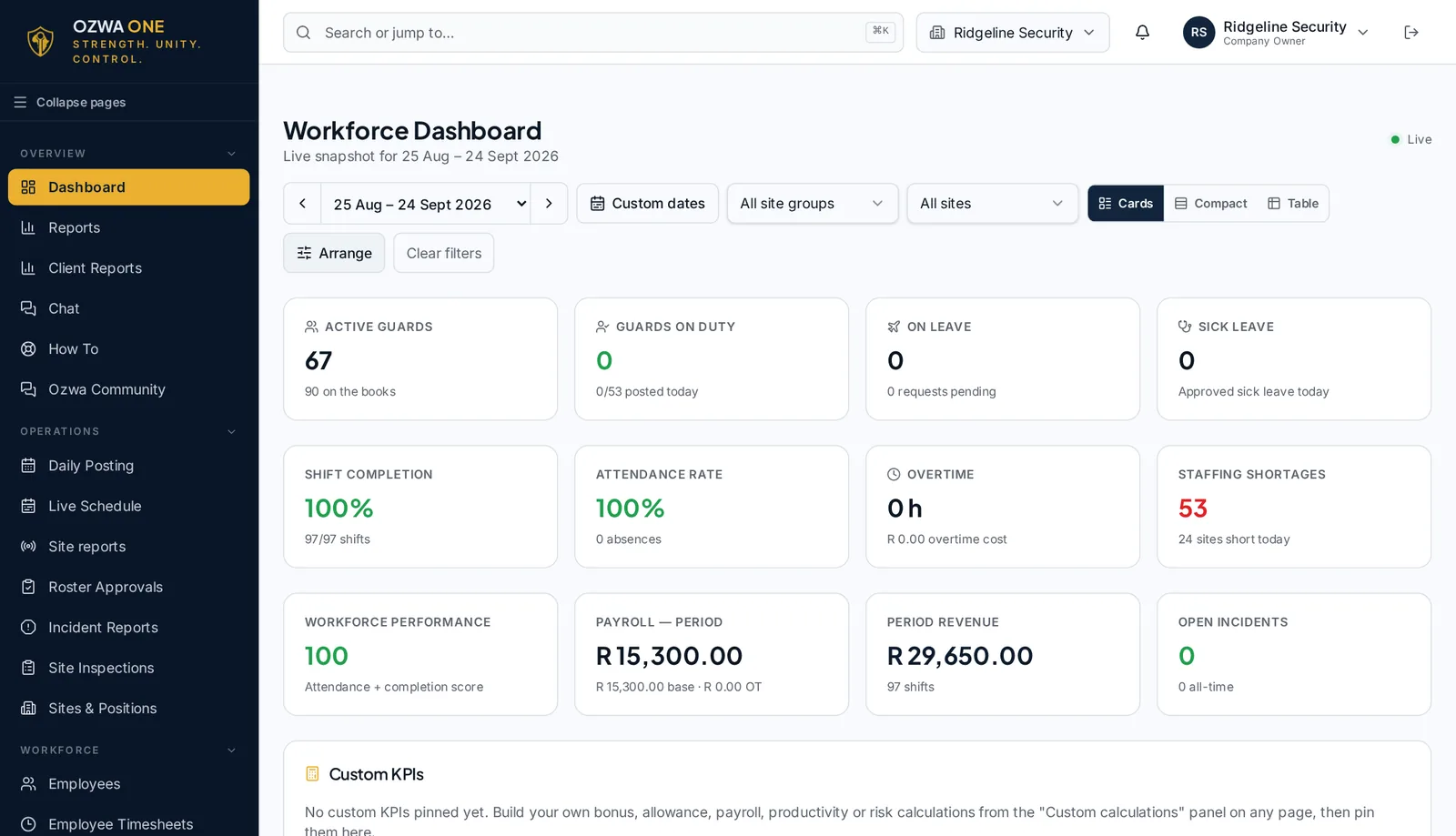
Workforce Dashboard
Shift completion, attendance, payroll and revenue for the period at a glance.
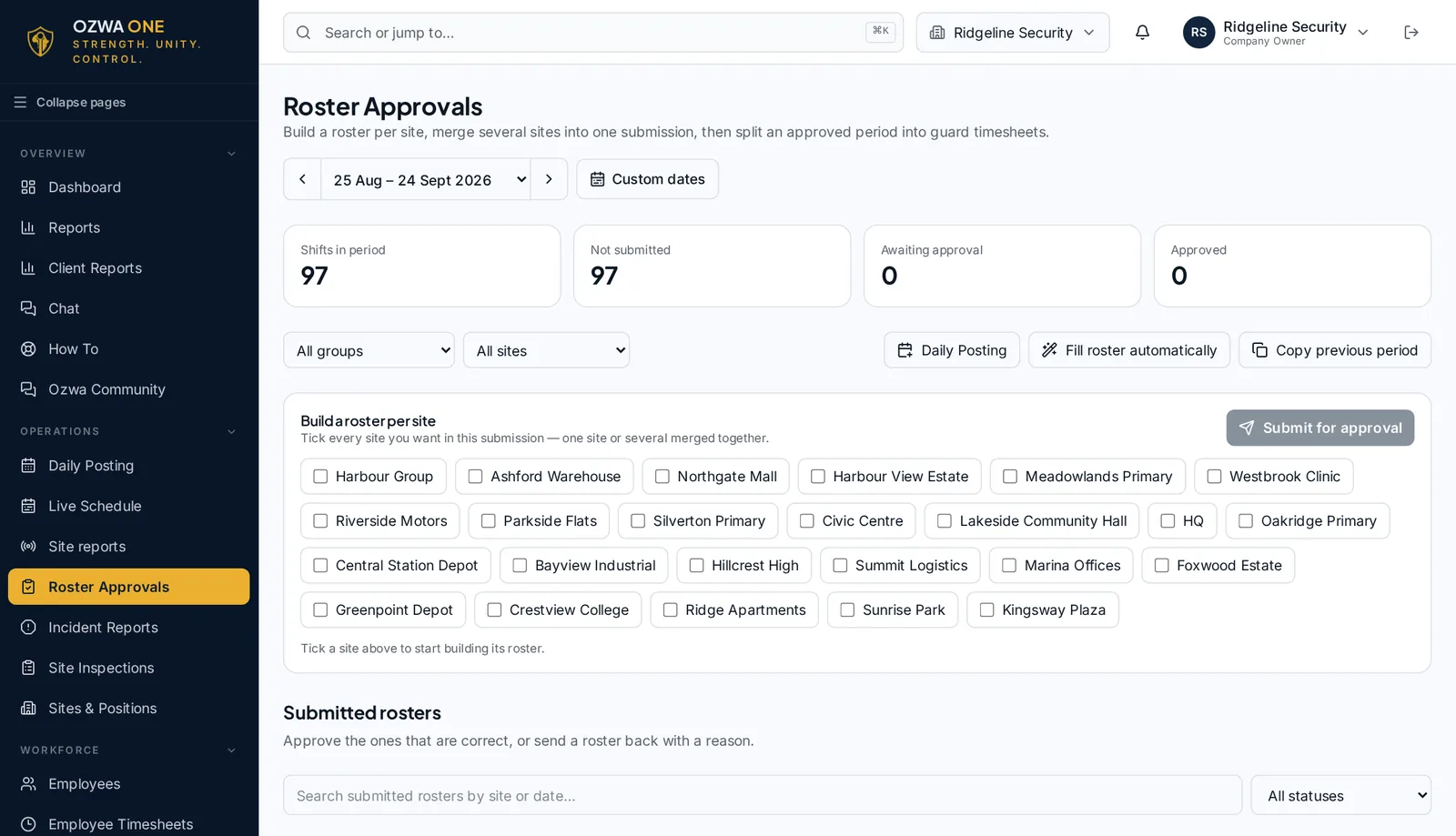
Roster Approvals
Build a roster per site, submit it for approval and turn it into timesheets.
Our story
Why I built OZWA ONE
OZWA ONE was developed from practical experience in security operations and administration.
I built OZWA ONE from my own experience working in the security industry, particularly in supervision and administration.
I saw firsthand how demanding it was to manage daily operations. Supervisors had to take guards to their sites, make sure they arrived where they were supposed to be, conduct site inspections and, at the end of the month, check timesheets to ensure everyone was paid correctly.
The month-end process was especially hectic. There was hardly a month without guards coming back with pay queries, and sometimes it took days or even weeks to investigate them, find the mistakes and work out the correct payments.
I knew there had to be a better way. That is why I created OZWA ONE — a practical solution to the problems I had experienced myself, not just another piece of software.
OZWA ONE makes it easier to investigate pay queries, prepare payslips. It also helps companies flag expiring documents and prepare weekly or monthly reports for clients.
It was built from real experience, with a simple goal: to make managing a security company more organised, more transparent and less stressful.
Brandon Prince
Founder, OZWA ONE
Get started
Spend less time managing paperwork. Spend more time running your security business.
Create your account and post your first shift today. Questions first? Call or email us.